AI-powered quoting & CAM automation for CNC milling

Accelerate CAM programming and quoting with AI

Get the job to the machine faster. Toolpath accelerates quoting, DFM, and programming before the first cut.

Free to start · No credit card required
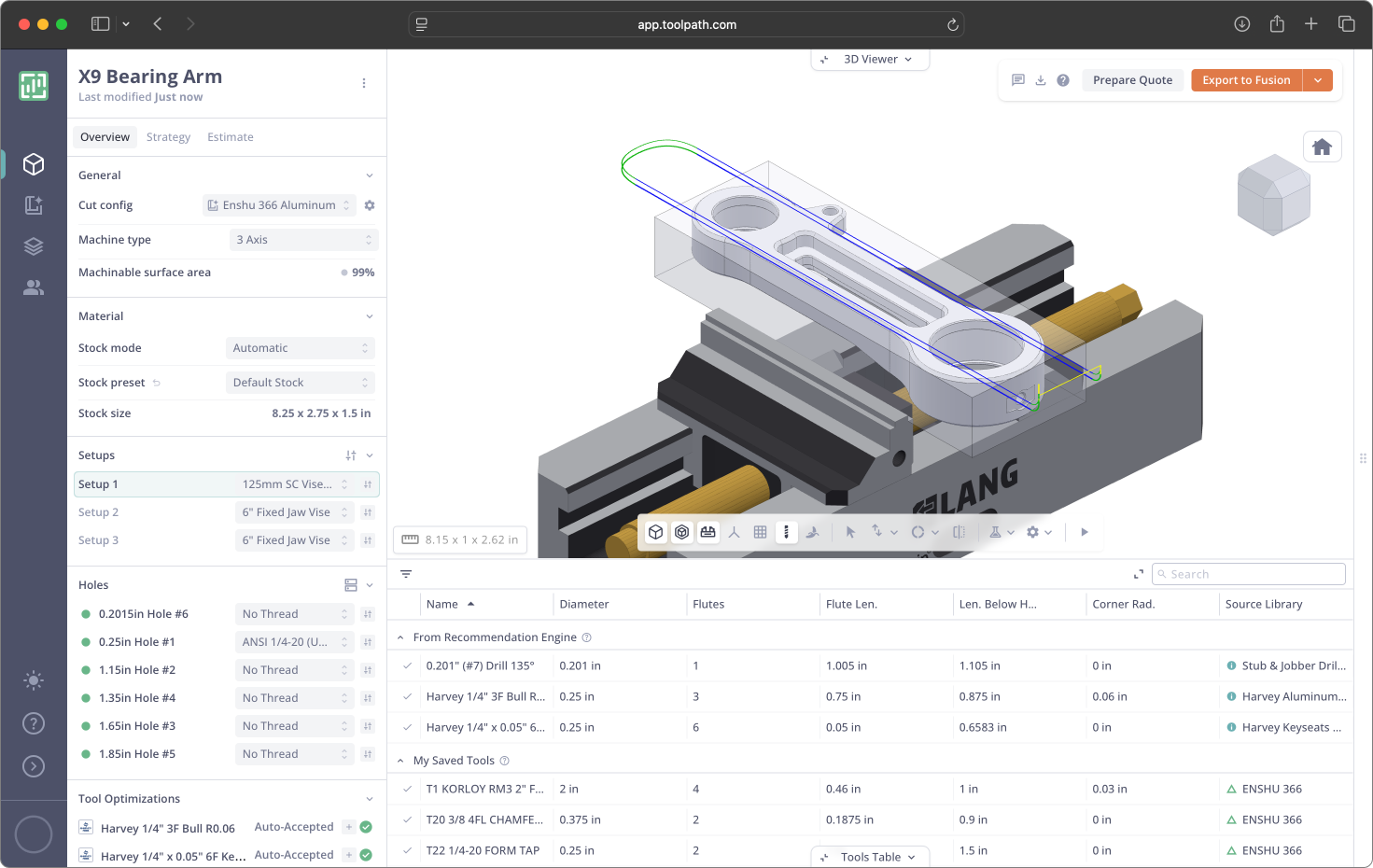
Toolpath workspace analyzing an X9 Bearing Arm part
BEFORE THE FIRST CUT

Your machines aren't the bottleneck. Getting the job onto them is.

Toolpath automates quoting, DFM, and programming so your team spends time on the decisions that matter.

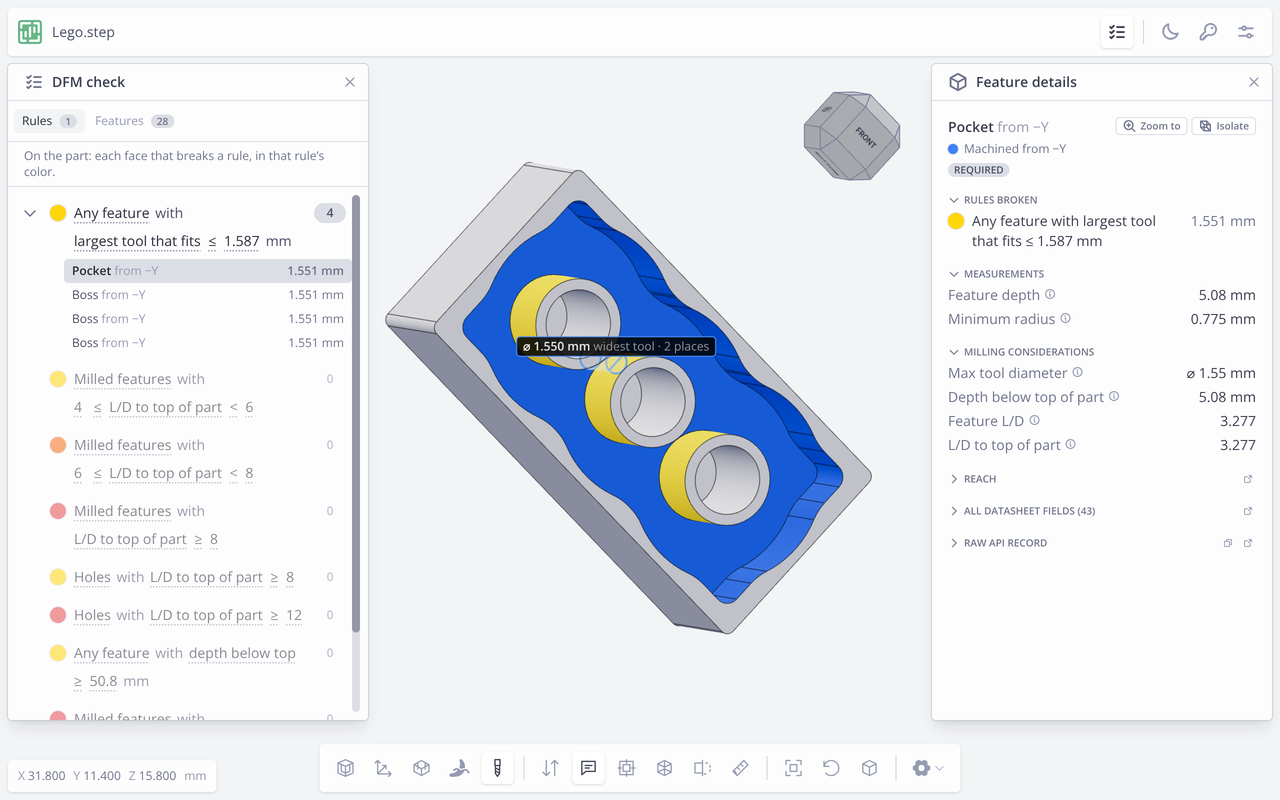
Instant DFM & part analysis

Upload a model and get geometry, tooling, and DFM manufacturability reviewed in seconds.

Faster, more accurate quotes

Cycle time, material, and cost estimates generated automatically, so quoting takes minutes.

Flexible tooling & material library

Model your tooling, materials, and workholding, so each program reflects how your shop runs.

Autodesk Fusion CAM integration

Generate toolpaths directly inside Autodesk Fusion. Review, tweak, and run. You stay in control.

What used to take hours of DFM review now takes a 10-second look. It has changed how fast we can turn quotes around.
James Dyer · Accurate Dial & Nameplate
Toolpath saved us 4 hours on determining tooling and quoting in the first week, and helped us build a foundation to scale our shop.
Elijah Langworthy · Nocturnal Welding
Case studies

Results from real shops.

Neff Machine
Before

Hours of manual DFM review

After

A 10-second review

Hill Manufacturing
Before

Time lost programming fixtures

After

Instant fixture machining

Accurate Dial & Nameplate
Before

Quoting and programming bottleneck

After

The spindle became the constraint

Start with a free trial.

Run design analysis, tool recommendations, quoting, and CAM on your own parts. No credit card required.

Changelog

Release 2026-07-14

Signup & Account

  • [FEATURE] Introduced Free, Core, and Pro subscription tiers with a new payment and checkout flow. To view new pricing and feature set, visit our pricing page.

Tool Libraries

  • [FEATURE] Search and import tools with Toolsense across cut config, tool libraries, and Part Workspace tool swap. Preview a tool, configure holder and stickout, then import into your library.
  • Improved tool library search so matching libraries appear above matching tools, with clearer vendor and team context.

Add-in

  • [FEATURE] Search Toolsense from the Fusion add-in, preview a tool, configure holder and stickout, then add it to the current Fusion document. Available in both the standard add-in view and the native Fusion Toolsense panel.

Part Workspace

  • Select all features in a group or setup from the feature table heading, with matching 3D viewer highlighting.
  • Smoother tool swap from strategy feature popovers by closing the popover so the full swap table is visible.

AI Agent

  • Improved agent context for faster, more reliable tool renaming from chat.

Toolpath Engine

  • [FEATURE] Circular countersinks without a matching chamfer tool can now be finished with a ball endmill spiral instead of being left unmachined.
  • Improved wall and through-pocket feature grouping so related wall regions merge more consistently instead of fragmenting into many small features.
  • Raised the default drill length-over-diameter threshold so common jobber-length drills are less likely to be demoted in favor of stub drills.
  • More reliable chamfer tool synthesis when tip-offset ranges are configured.
  • Faster wall-feature identification during geometry processing.

UI

  • Cleaner spacing on the delete-parts confirmation input.

Release 2026-07-10

Part Workspace

  • Fix sidebar "Holes" section erroneously showing "Loading" for parts with no holes.
  • Improve UI consistency of loading state for overview sidebar sections.
  • Improve speed of loading alternative tools for a feature (tool swap interface).
  • More reliable feature loading for operations that include features without typed properties.

AI Agent

  • [FEATURE] Create custom agent skills and invoke them as slash commands in chat. Configure in My Preferences.
  • [FEATURE] Queued agent messages - allow queueing of subsequent messages while waiting for a previous response to complete.
  • Improve consistency of AI agent cycle time data fetch.

Public API (Beta)

  • Fix API machinability assessments to prevent surfacing issues on unused features.

Toolpath Engine

  • Pocket and face finishing now machines the floor before the wall, with more consistent wall/floor clearances for cleaner finishing conditions.
  • Small tools no longer whole-part rough by default, reducing long air-cut-heavy roughing on fine features.
  • Improved feature grouping when slanted faces blend smoothly into fillets, reducing cases where related surfaces split into separate untoolable features.
  • Faster contour cleanup before path generation.

Fusion

  • Clarify team access for Fusion synced libraries to prevent multiple users from creating conflicting edits.
  • More reliable Fusion adaptive roughing when operations need multiple boundary selections.

Release 2026-07-08

Part Workspace

  • [FEATURE] Expanded the feature table with more feature data, sortable detail columns, hierarchy grouping, keyboard navigation, and clearer override controls.
  • Improved the tool swap panel experience with clearer feature-specific swap options and confirm/cancel controls.
  • Clearer setup counts while parts are still generating.
  • Fix intermittent 3D viewer WebGL error.

Quoting

  • [FEATURE] Added Copy Lines to Clipboard for quote rows, making it easier to paste customer-facing quote tables into email, documents, or spreadsheets.
  • Cleaner private-column alignment in multi-quantity quotes.

Cut Config

  • Improved engine constant defaults and user-facing guidance, including clearer ramp behavior explanations.

Public API (Beta)

  • Added project creation, renaming, and project assignment support for new parts.
  • Expanded part uploads to support .step, .step_solid_json, .stp, .x_b, .x_t, .xmt_bin, .xmt_txt, .igs, .iges, .catpart, .sldprt, and .prt files.
  • Improved communication for API errors when cycle times cannot be computed.

Tool Libraries

  • Cleaned up preset tables for drills and taps so unrelated stepover and stepdown fields no longer appear.
  • Clean up rounding errors on long-decimal computed tool preset fields.

Toolpath Engine

  • More consistent tool rejection reasons and available tool sets from engine tool-selection results.
  • Improved flatland floor rest finishing and wall finishing behavior.
  • More reliable geometry processing for closed features, chamfer corners, and related boundary and extrusion edge cases.
  • More consistent facing stepdowns and Fusion facing top heights.
  • More reliable automatic operation reuse when stock definitions or request options change.
  • Improved whole-part roughing around unusually deep holes.
  • More reliable finishing time estimates for through-features.
  • Reduced unnecessary air cutting at the start of roughing entry helices.
  • More stable cut simulation precision and synthetic operation planning.
  • More consistent feed-speed handling.
  • Longer-running programs now get more time to complete.

AI Agent

  • Improved live chat readability.

Release 2026-07-01

Quoting

  • [FEATURE] Define custom quote fields like Payment Terms or Lead Time. Fields will be defaults for any new quotes, and can be optional or required. These fields will be included in the quote PDF, CSV, email, and share exports.
  • Added Total column to multi-quantity quotes across the UI, PDF, CSV, email, and share exports.

Part Workspace

  • Clearer feature status indicators across the feature table, holes sidebar, and strategy editing.
  • Engine-intended features without assigned tools now appear under Active Features.
  • Expanded Part Workspace tool table with active and unused grouping, library adoption shortcuts, and links to source libraries.
  • Smoother tool swap modal when opened from Part Workspace overlays.

Cut Config

  • Clearer engine constant defaults in the advanced settings popout, including ramp clearance guidance.
  • Engine constant overrides included in cut config export and import.

AI Agent

  • Added support for viewing and updating engine constants through cut config agent tools.

Toolpath Engine

  • Improved near-net stock handling for relative box and cylinder presets under automatic op selection, reducing unnecessary facing on flush faces.
  • More consistent drill selection when drilling is preferred for hole features.
  • Refined whole-setup tool selection to more consistently favor optimal tool choices.

UI

  • Clearer estimate override highlighting in dark mode.

Release 2026-06-30

Part Workspace

  • More polished Part Workspace styling across overview, strategy, feature inspector, and panel controls.
  • Added keyboard navigation for setups, holes, strategy actions, and strategy feature lists.
  • Clearer feature inspector context with setup labels and direct links into related strategy actions.
  • Smoother strategy editing with row-click editing, feature drill-in, and optional strategy action numbers.
  • Clearer handling for processing errors, including inline guidance and revert options when available.
  • Improved 3D viewer behavior, dark-mode presentation, loading states, and machinability issue summaries.

Cut Config

  • Added user-editable constants table to advanced settings, allowing users to tune engine variables.
  • Added tuning support for ramp behavior and fixture clearance defaults.

Workholding

  • More reliable fixture loading when switching quickly between setups.
  • Improved jaw mode behavior when changing vise configurations.
  • Cleaner workholding modal save experience.
  • Tuned default axial fixture clearance to reduce unnecessary fixture avoidance in generated paths.

Public API (Beta)

  • Added refined timing data to program responses.
  • Added rate limit support for program creation.
  • Streamlined program and machinability report responses by removing per-setup tool details.

Tool Libraries

  • More reliable Fusion-synced libraries when applying presets, preventing empty syncs from removing tools.
  • Improved disabled tool row styling.
  • Clearer tool priority and recommendation library tooltips.

AI Agent

  • Improved tool-call confirmations so large approval prompts summarize changes instead of overloading the chat UI.
  • Added better context when Part Workspace processing errors need user attention.

Toolpath Engine

  • Updated cut tap and form tap drill lookup charts to better match stocked drill sizes, reducing cases where holes were milled instead of drilled.
  • Added support for request-specific engine settings.
  • Improved flatland floor finishing support.
  • More reliable boring and finishing operations for features with different bottom heights.
  • More stable roughing, finishing, and threading tool selection when multiple tools are otherwise equivalent.
  • More consistent tool-check reason labels and messages.
  • Improved reliability when writing edge-case numeric results.

Signup & Account

  • Clearer signup validation messages.
  • Refreshed email verification page styling.

UI

  • Improved dark-mode chart colors, stock position controls, and verify-send styling.

Release 2026-06-25

Part Workspace

  • Added finishing tool splitting for more accurate finish operations.
  • Visualization Settings are now easier to access.
  • Smoother stock and workpiece rotation with the part when switching setup view.

Workholding

  • Improved jaw default behavior across cut configs.
  • Clearer regeneration notices and setup count display.
  • More consistent unit display in jaw editing.

Estimating

  • Improved feedrate editing for in-context estimate presets.

Toolpath Engine

  • More consistent drill sizing for form taps.
  • Improved operation generation reliability for tool clearance edge cases.
  • Smoother ramping behavior in generated toolpaths.

Public API (Beta)

  • Expanded program and cut config support.